Showing posts with label simphony computer. Show all posts
Showing posts with label simphony computer. Show all posts
Tuesday, October 22, 2024

Thursday, October 17, 2024
My Recomendations of a PC 🐬
| Case |  | Fractal Design Define R5 Black ATX Mid Tower Case $91.49 |
| Memory (RAM) |  | 32GB (2x16GB) Kingston Fury Beast Black DDR5-6000 CL40 $62.99 |
| Graphics Card |  | AMD Radeon RX 6700XT - PowerColor Red Devil $279.99 |
| Motherboard |  | MSI PRO Z790-A WIFI ATX LGA1700 $123.19 |
| CPU Cooler |  | be quiet! Dark Rock 4 $76.10 |
| CPU |  | Intel Core i5 13600K 3.5GHz 14-Core Processor $218.40 Final Price:$852.16 |
Wednesday, October 16, 2024
CASE
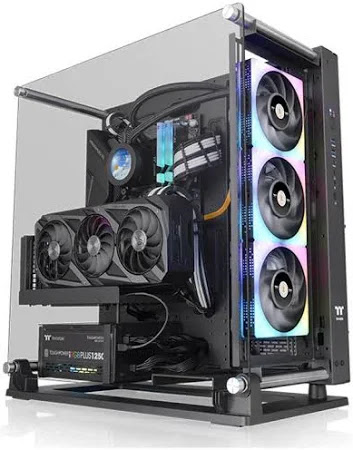
The Computer case is nothing more than a fancy-looking box that holds all of the PC’s components. It can be opened and closed and has pre-defined areas with screws and holes where all of the components are supposed to be placed and attached to.
CPU COOLER
The processor fan is used to facilitate airflow and is typically used with a heatsink.
The air-cooled tower CPU cooler is great at cooling burst workloads (like active work in professional software), is nice and quiet, and usually takes up less room in the case. It is placed on top of the CPU, where it sits and does its cooling work.

RAM
A RAM device keeps important currently-used data and codes on standby, loading them instantly when respective programs or apps are opened.
RAM is a volatile type of memory, meaning all stored memory is refreshed after turning off the PC. This allows the device to quickly absorb new data immediately during the next session, prompting quicker loading processes.
Although a damaged RAM stick might not necessarily disrupt your computer from working properly, it will hinder its performance over time, resulting in program crashes, unexpected decrease in RAM, and failure to boot, among others.

Tuesday, October 15, 2024
GPU
A GPU is required for your computer to read and reproduce graphical representations and effects, which are almost present in every form of media today.
the finest GPUs are primarily used for video gaming, capable of handling immense 3D-graphics loads to maintain smooth frame rates and lag-free experiences.
The GPU manages the heavy lifting in terms of the on-screen graphics and fidelity, while the CPU runs the programming that works behind the scenes, such as data and in-game statistics.
The current crisis of GPU chips shortages causes another headache, making losing your GPU a nightmare.
the finest GPUs are primarily used for video gaming, capable of handling immense 3D-graphics loads to maintain smooth frame rates and lag-free experiences.
The GPU manages the heavy lifting in terms of the on-screen graphics and fidelity, while the CPU runs the programming that works behind the scenes, such as data and in-game statistics.
The current crisis of GPU chips shortages causes another headache, making losing your GPU a nightmare.
CPU
The central processing unit (CPU), commonly referred to as the processor, is the ‘brain’ of your computer. The CPU solves all the sophisticated algorithms and programming your computer does while running programs or applications.

Nowadays, almost all processors possess multiple CPUs to achieve quicker processing speeds, ensuring faster response times when using software or browsing the web. These special processors are called multi-core processors, with each CPU designated as 1 processing core.
You can squeeze more power from your CPUs to get slight performance boosts by overclocking them. However, this comes with risks that might damage your processor, so keep that in mind. Remember, a PC cannot work properly with an impaired processor, even if other components function normally.MOTHERBOARD
It is the primary circuit board that holds all the hardware in place. A robust motherboard offers many slots for installing multiple computer components.
Motherboards offer different form factors (general specs encompassing circuitry arrangement, overall size, number of ports, etc.), and only specific motherboard models can fit into certain computer cases/chassis, especially for customisable desktops.

A faulty motherboard can instantly stop your computer from working and potentially harm other parts.
Subscribe to:
Posts (Atom)

-
 I have changed the size of all the images in gimp and in the same app I have joined all the photos in a collage.

